
Member Resources
Security Cameras
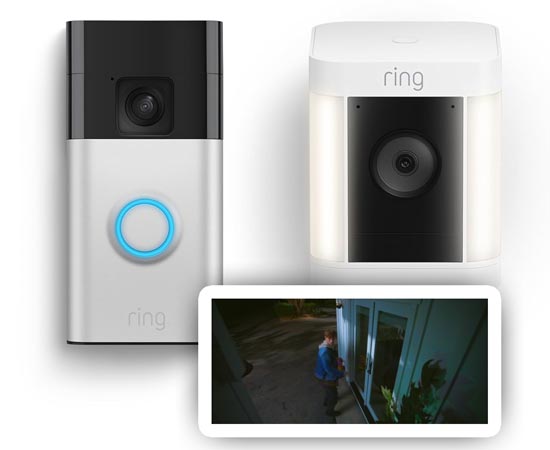
Monitoring your home while you are away provides peace of mind. It's also a handy way to know when packages are delivered, and to be able to talk to someone who comes to your door.
And it just might prevent your home from being burglarized, as the mere presence of cameras may be enough to make a burglar think twice and move on.
There are many products available that provide online monitoring and playback of events captured by motion-sensing cameras from brands such as Ring, Blink, and more.
A few years ago, I purchased both Ring and Blink doorbells and cameras in an effort to determine which would suit my needs better. What's best for you may differ, but I'm happy to share my experience!
Ring vs. Blink
Both brands were purchased years ago by Amazon.com, and it's actually a little odd that both continue to survive to this day. They have similarities, but also a few differences which may cause you to choose one over the other.
I liked the Ring app and device configuration a little better. However, Ring is a cloud-based-only platform, whereas Blink has the ability to store footage on a device in your home, so you have more control over what happens to it and the idea of having your security footage out there in the cloud may not appeal to you.
In the end, I chose Ring and have installed setups for three homes in the past two years. Since I haven't done much with the Blink devices I still have, the features of Blink may have changed, so you will want to look deeper if that ecosystem interests you.
Ring Doorbells
Amazon offers a wide variety of Ring doorbells, that vary in size and capability. It can be a little confusing to determine which has the best set of features, but once you start getting familiar with the terms and some of the cameras, the differences become more clear. The biggest determining factor is how much room you have to install the doorbell, as the original doorbells are quite large, but the newer ones are also smaller.
Another major factor will be whether you will want to wire them to your existing doorbell wiring so that you don't have to recharge the doorbell's battery, which has to be done every 6 months or so, depending on how much use it gets. Hardwiring it may allow you to have your existing doorbell chime work with the camera, but you have to choose a model that supports that feature.
Following is a sample of the doorbells available from Ring on Amazon:
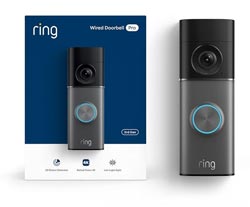
This appears to be a top-of-the-line model, with a price to match. It's their newest model with 4K wide-angle video, 10x zoom, and low-light features.
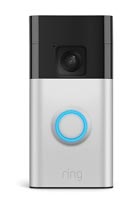
Probably the most common style of Ring doorbell that we've all seen on houses everywhere.
Ring Cameras
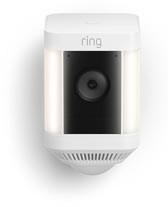
Ring Spotlight Cam Plus, Battery
This is a great all-around camera that also has a spotlight that is motion-activated. It has a built-in siren and you can also talk with someone that is there or scare away deer that are raiding your flowerbeds. If you don't want to charge the battery every couple of months, you can connect a solar panel to keep it topped off at all times.
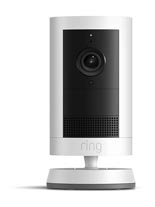
Ring Outdoor Cam Plus, Battery
This is a more basic but still well-equipped outdoor camera. It does not have a light, but I have found the view is still quite good at night. Like with the previous camera, you can connect a solar panel to keep the battery charged.
Shopping Links
Please note: If you purchase through the links on this page, we may receive a small commission, which offsets the cost of maintaining this website. As an Amazon Associate, we earn from qualifying purchases. Thanks for supporting the Karrington Woods website!